
Siphon Bank
The Siphon Bank tracks per-member siphon contributions to the guild chest. Each in / out transaction in the in-game siphon chest produces a row; the bank rolls up to a net silver per member. Open it from the sidebar under MANAGEMENT → Siphon Bank.
Unlike Silver Bank, which is a real silver wallet, Siphon Bank is a scoreboard — it tracks what members have put in vs taken out of a shared chest. Members aren't expected to maintain a positive balance per row; the net is just a measure of contribution.
Permissions
- View Banks, Armory & Item Price — see the table + log + per-member detail.
- Manage Banks, Armory & Item Price — paste logs, add manual adjustments, mark debtors.
What's on the tab
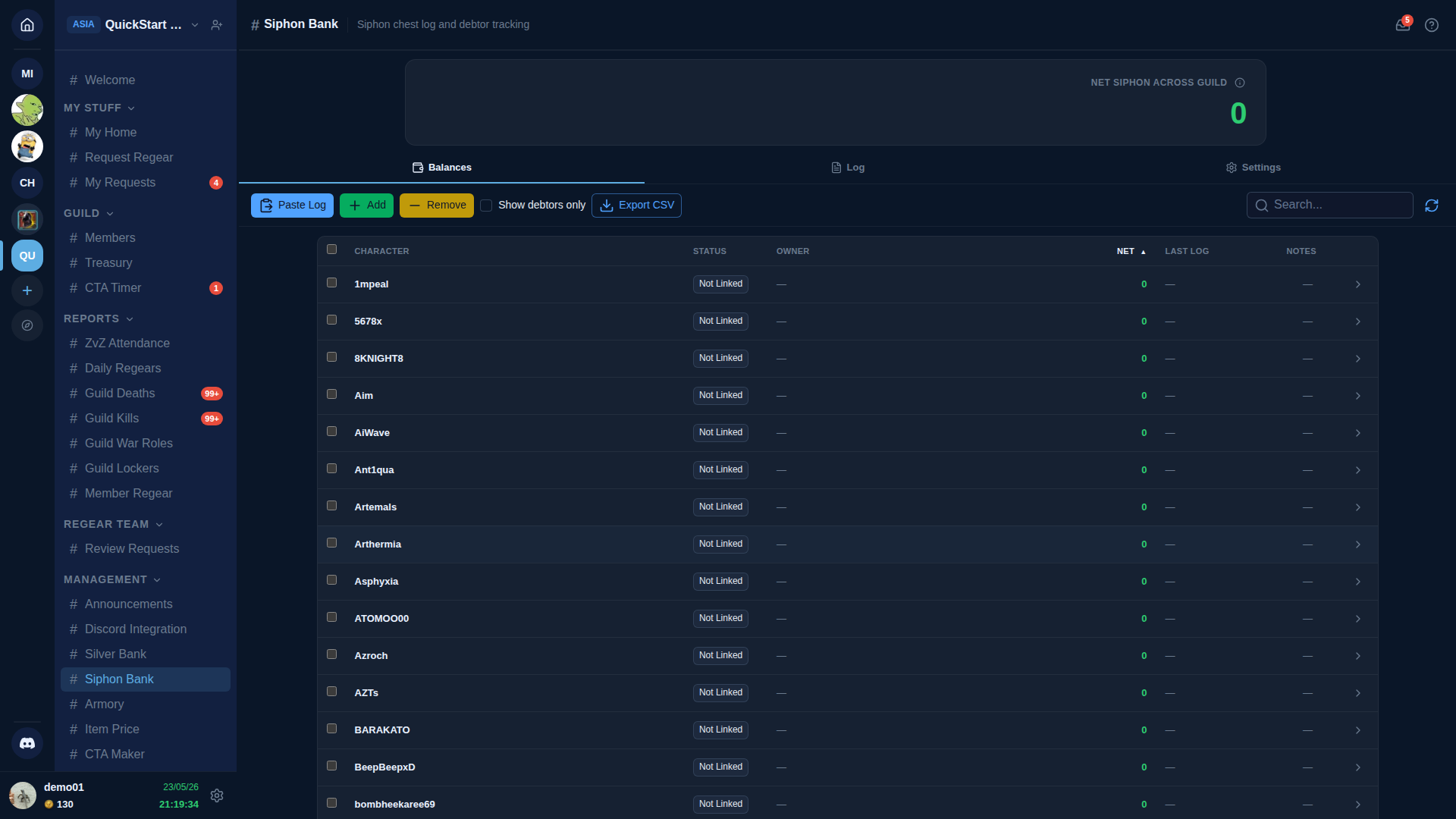
Three tabs: Balances (default), Log, Settings.
Balances tab
One row per character that's appeared in the siphon log. Columns:
- Character — Albion character name from the log.
- Status — Linked / Not Linked, same as Silver Bank.
- Owner — AO Master display name (when linked).
- Net — total deposits minus total withdrawals for this character. Negative = the member is a "debtor" (taken more out than put in).
- Last log — most recent log line touching this character.
- Notes — staff-attached free text (e.g. "explained — siphoning for war prep").
The Show debtors only checkbox filters to characters with negative net — the classic "who's not pulling their weight" view.
Log tab
Same paste-chest-log workflow as Silver Bank — paste raw transaction lines, mark each Apply or Disable. The applied rows commit to character nets in the Balances tab.
Settings tab
- Visible characters filter.
- Reset confirmation policy — how often staff has to confirm a "reset Net to 0 for this member" action (for clearing forgiven debt).
- Auto-apply linked characters — same as Silver Bank.
Difference from Silver Bank in one line
Silver Bank is a wallet you spend silver from. Siphon Bank is a scorecard of how much silver each member has fed into a shared resource. Both feed off chest log pastes, but the data they produce is different.
Cross-links
- Silver Bank — the wallet system this complements.
- Settings → Guild Systems — toggle Siphon Bank on / off.
- #Siphon Bank channel reference.