
Settings → Reports Visibility
The Reports Visibility tab controls who can see each of the report channels (the "REPORTS" section in your guild sidebar) and what order they appear in. Open it from the Settings modal under POLICIES → Reports Visibility.
Most guilds leave everything set to Everyone can see for transparency; some lock specific reports to specific roles (e.g. only staff can see Daily Regears).
Permissions
The tab requires Manage Guild. Changes save instantly per-row (no separate Save button) — flipping a dropdown immediately changes what every member sees the next time they open the channel.
The list
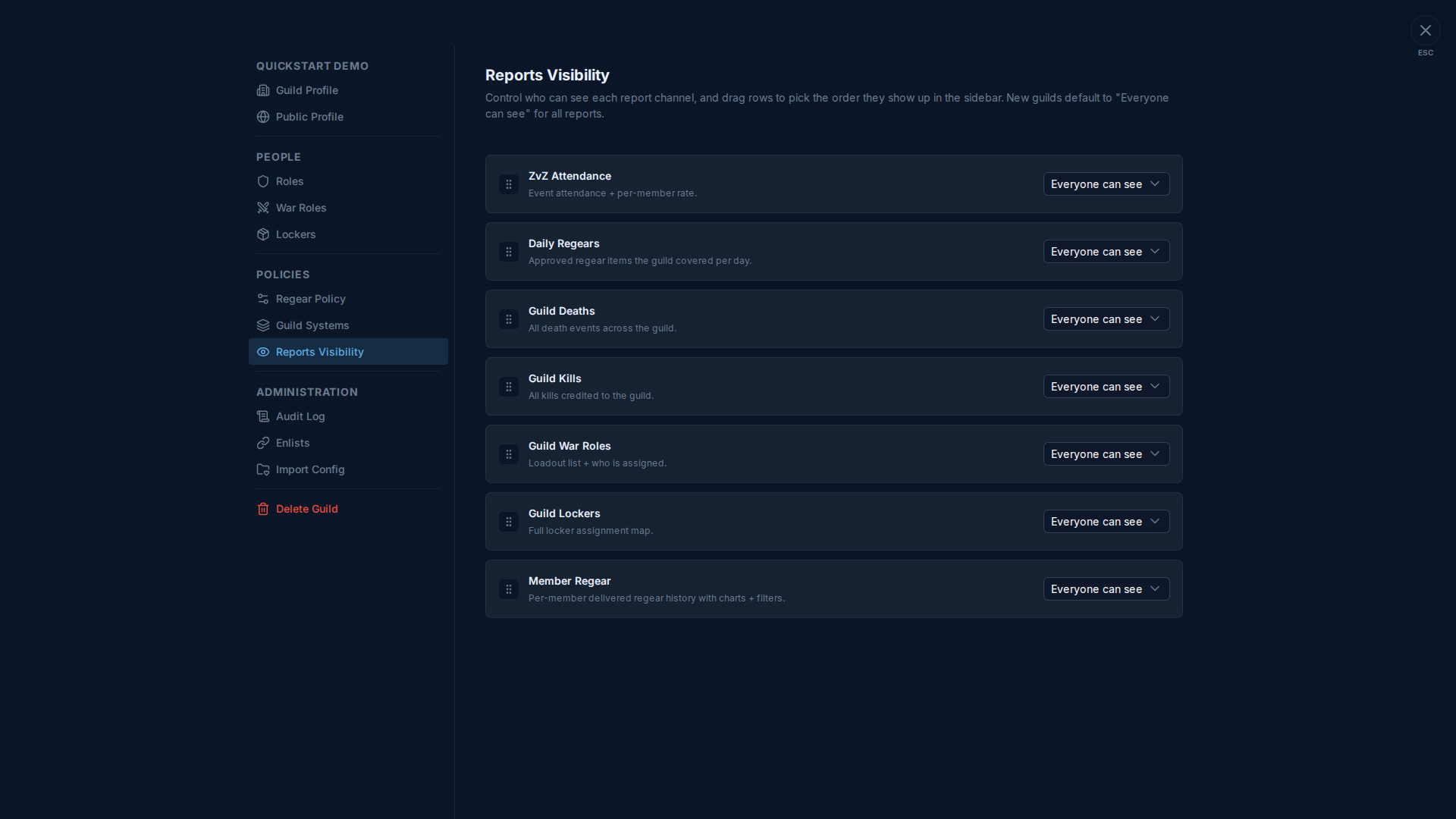
Seven report channels controlled here (all "REPORTS" sidebar entries):
| Report | What's there |
|---|---|
| ZvZ Attendance | Per-event attendance + per-member rate stats. |
| Daily Regears | Approved regear items the guild covered per day. |
| Guild Deaths | All death events across the guild, with timeline filters. |
| Guild Kills | All kills credited to the guild. |
| Guild War Roles | Loadout list + who is assigned to each role. |
| Guild Lockers | Full locker assignment map. |
| Member Regear | Per-member delivered regear history with charts + filters. |
For each row, the dropdown on the right picks visibility:
- Everyone can see — every guild member sees the channel in their sidebar.
- Hidden — no one sees it (useful when you don't want to show the channel at all but still want the data to accumulate).
- Role: <role name> — only members holding the picked role see it.
Reordering
Drag the grip handle on the left to reorder. The order here is exactly the order they appear in the REPORTS sidebar section for everyone in your guild. New guilds get them in the order shown above.
Why these and not, say, channels in PEOPLE or POLICIES
Reports are a special class of channel — they show derived data (aggregated from regear / death / kill / attendance events), not direct guild action. The other channels (Members, Treasury, Request Regear, etc.) are core flows with their own permission gates baked in. This tab is just for the visibility filter on top of those core gates for the seven report channels.
Cross-links
- The seven reports themselves: #ZvZ Attendance · #Daily Regears · #Guild Deaths · #Guild Kills · #Guild War Roles · #Guild Lockers · #Member Regear.
- Settings → Roles — where the roles in the visibility dropdown come from.