
Settings → Audit Log
The Audit Log tab is your guild's change history. Every state-changing action — staff approves a regear, owner flips a system toggle, packer takes a cut-off task — writes one row here. Use it to answer "who changed X" and "when did Y happen" questions.
Open it from the Settings modal under ADMINISTRATION → Audit Log.
Permissions
The tab requires View Audit Log. Granting it gives read-only access to the log; the actions logged are gated by their own permissions independently. (Granting View Audit Log doesn't give the user power to do anything they couldn't do before — only to see who else did it.)
What's on the tab
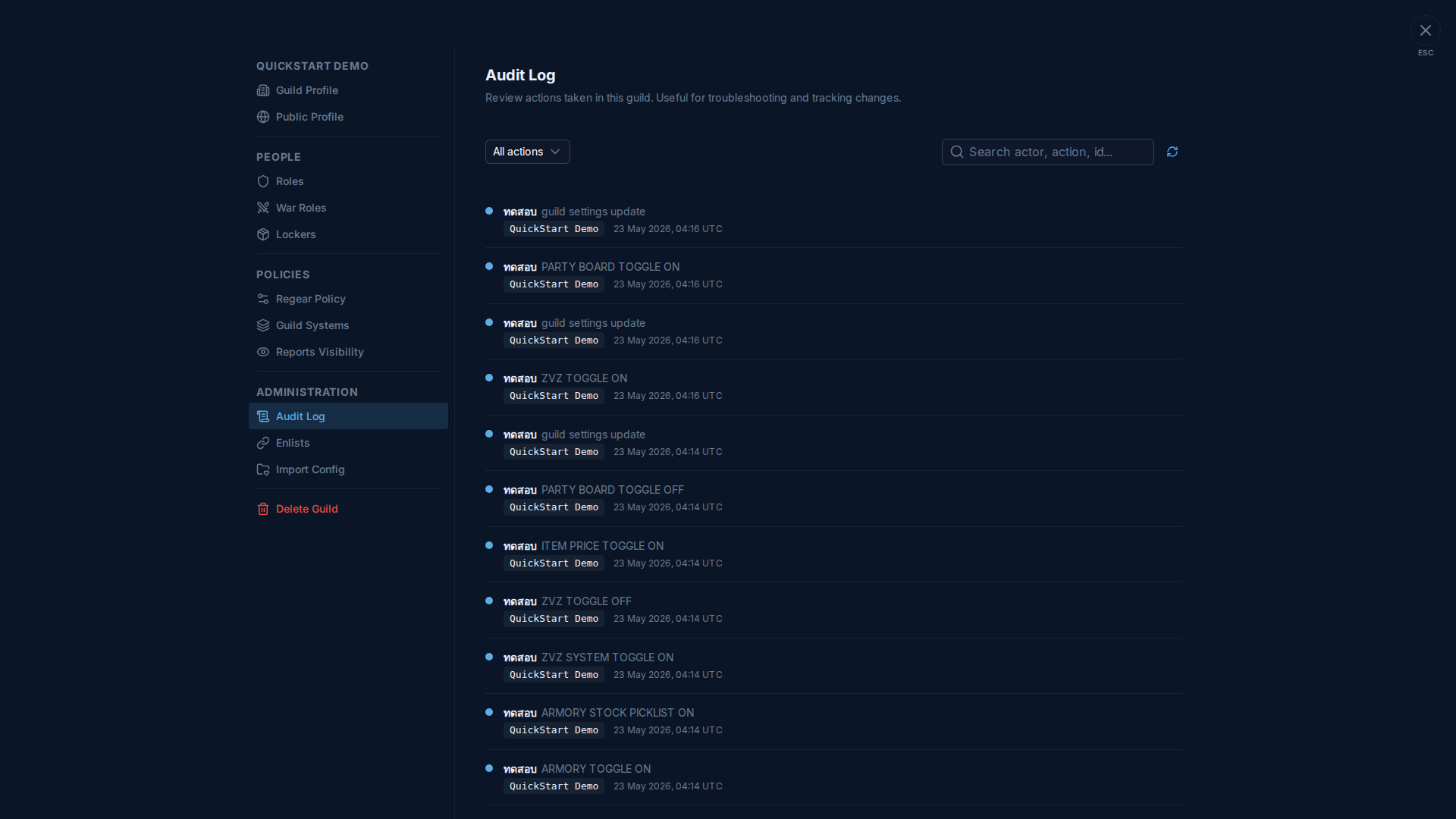
The toolbar at the top has:
- All actions dropdown — filter to a specific action class (e.g. "Regear approved", "Role edited", "Task taken").
- Search input — match against actor display name, action name, or affected resource ID (e.g. paste a regear request UUID to find every event touching it).
- Refresh icon — pull the latest entries.
Each row shows:
- Actor avatar + display name — who did it.
- Action name in monospace caps (e.g.
PARTY BOARD TOGGLE ON) so it's easy to grep. - Guild badge — the guild context (you'll see "QuickStart Demo" on the test guild; useful when the same person manages multiple guilds).
- UTC timestamp — when it happened, in UTC.
Rows scroll back chronologically. Older entries page in as you scroll past the bottom (no manual pagination button).
What gets logged
Most state-changing actions write an entry — examples:
- Guild settings update — anything saved on this Settings modal.
- Toggles on/off — every Guild Systems toggle, every sub-toggle (Armory Stock in Picklist, Party Board, ZvZ Attendance).
- Role lifecycle — create / rename / edit / delete / assign / unassign.
- Member lifecycle — kick, soft-delete (revivable), revive, hard-delete.
- Regear pipeline — submit / approve / reject / payout / refund.
- Cut-off task lifecycle — create / take / release / mark recipient delivered / complete / undo.
- Locker lifecycle — group create / count change / assignment grant / revoke.
- Discord — pair / unpair, role mapping changes, channel rebuild.
Pure read actions (opening a tab, viewing a report) are not logged — only state changes.
Retention
Entries are kept for at least 90 days. Higher subscription tiers extend retention. The log is append-only — there's no way to edit or delete an individual row.
Cross-links
- Settings → Roles — the View Audit Log permission lives here.
- Many of the actions visible here cross-link to their own deep-dives (e.g.
task.takeevents → Item mode — cut-off + locker).