
Settings → Guild Profile
The Guild Profile tab is the first tab in the Settings modal — opening Settings on a fresh guild lands here. Set the icon, display name, Custom URL, and one-line description — the four things that define how AO Master refers to your guild everywhere (sidebar, member roster, public Welcome page, share links).
For the public-facing page itself (banner image, recruitment status, widgets), see Settings → Public Profile.
Permissions
The tab requires Manage Guild.
What's on the tab
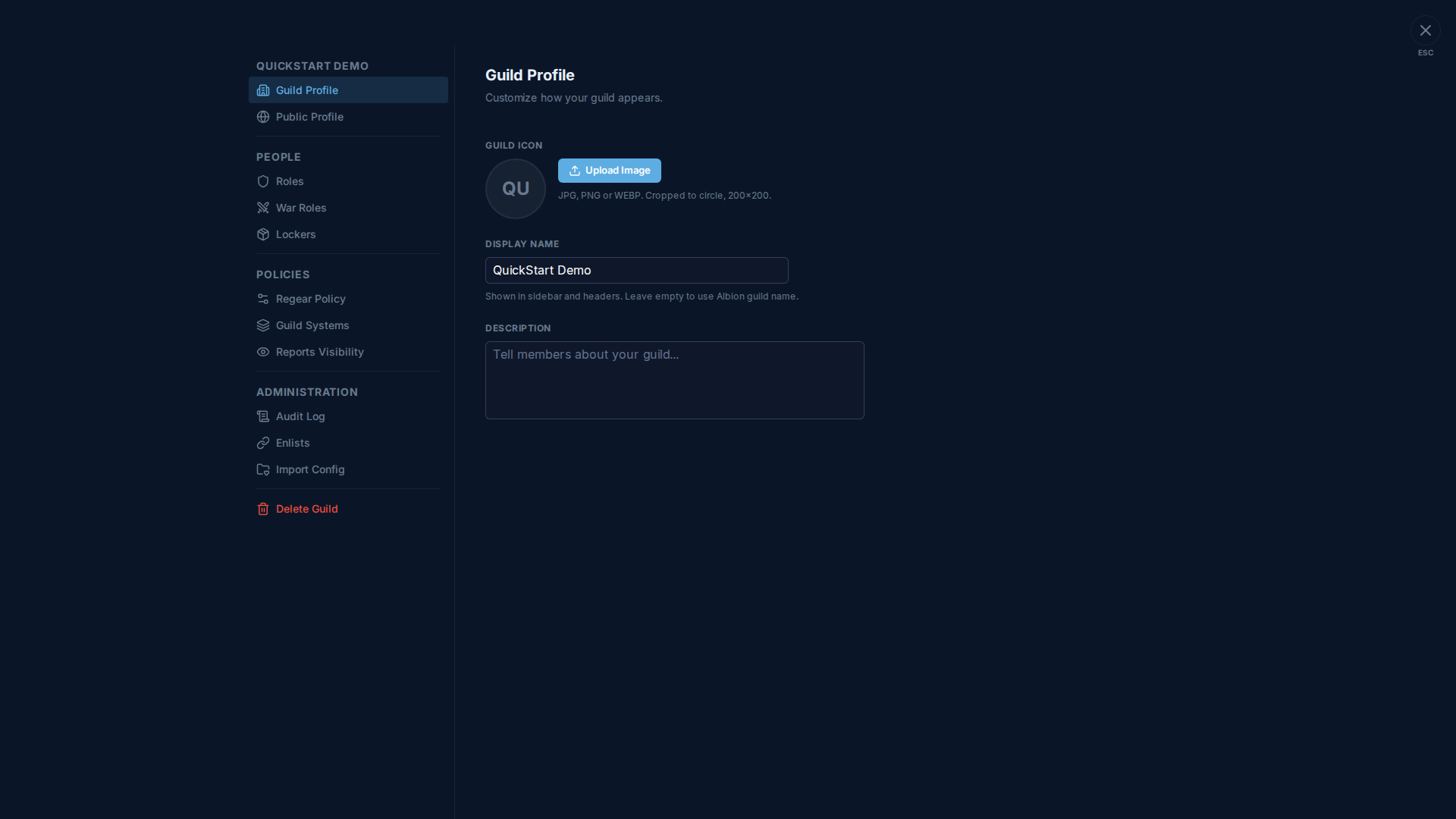
Four fields:
| Field | Format | Notes |
|---|---|---|
| Guild Icon | JPG / PNG / WEBP, cropped to a 200×200 circle | Shows up beside every guild reference (sidebar pill, server picker, public Welcome page). Leave empty to get the auto-generated "first letters" placeholder from the display name. |
| Display Name | Plain text | What members see in the sidebar header + page titles. Leave empty to fall back to the official Albion guild name from the in-game guild record. |
| Custom URL | 3-20 characters, must start with a lowercase letter, then lowercase letters / digits / hyphens. No consecutive or trailing hyphens. | Replaces the long guild ID in your share link with a memorable word (ao-master.com/g/minions instead of ao-master.com/g/0a5b71d9…). Globally unique — first come, first served. When you change it, the old URL keeps working as a redirect for 30 days. Free during the public test phase; you can change it every 24h. Walked through in detail on Owners — Public profile + Custom URL. |
| Description | Plain text, multi-line | One paragraph shown on the public Welcome page and in the "About" widget. Members see it on #Welcome. |
Display name vs Albion guild name
The display name is yours to set — it doesn't have to match the in-game guild name. Use it when:
- Your guild renamed in Albion but you want the AO Master surface to stay consistent.
- You want to add a tag (e.g. "[ASIA] QuickStart Demo") for clarity.
- You're using AO Master for a sub-group within a bigger guild (e.g. a CTA team) and want it labelled differently.
Leaving display name empty just defers to the Albion record — useful for guilds that want the names to track each other automatically.
Where the icon shows up
- Sidebar pill on every page inside the guild.
- Server picker on
/channels/@me(the home). - Public Welcome page (with the banner from Public Profile as the backdrop).
- Notifications inbox (next to "Your regear is ready — N requests delivered in …").
- Discord bot embeds (when the bot is paired).
Save flow
The page has the standard unsaved-changes bar at the bottom — change any field + click Save. Two exceptions save independently of the Save button:
- The icon uploads as soon as you pick the file, so cancelling out doesn't undo a just-uploaded icon — to revert, re-upload the previous one.
- The Custom URL field has its own confirm-and-save flow built in (because changing it affects share links going out). Use the controls inside the Custom URL panel to set, change, or release it; the page-level Save button doesn't touch it.
Cross-links
- Settings → Public Profile — the public-facing complements: banner, recruitment toggle, widgets.
- Owners — Public profile + Custom URL — visitor-side walk-through of the Custom URL flow.
- #Welcome channel — where members see the description + icon + banner combined.